
The address is in the code.
It opens the URL encoded when you create it. Changing that encoded address means generating and sharing a new QR.
QR codes / From print to possibility
Put a useful destination on a package, a counter or a campaign. A dynamic URL QR code lets you update that destination through its connected short link.
Sign in to create. No account needed to explore the demo.
A useful distinction
The design can look similar. The way the destination works is different.
It opens the URL encoded when you create it. Changing that encoded address means generating and sharing a new QR.
It opens a VTX short link that redirects to your destination. Change Destination URL on the connected link; keep its short URL and domain unchanged.
See what you are making
Choose a QR type, enter your content, then explore themes, colors, shapes, logos and frames. Download options include SVG, PNG, JPG and WEBP.
Always scan your final exported file, then a printed sample at its intended size. An editor preview is useful; a real scan checks the result in context.
Follow the QR guide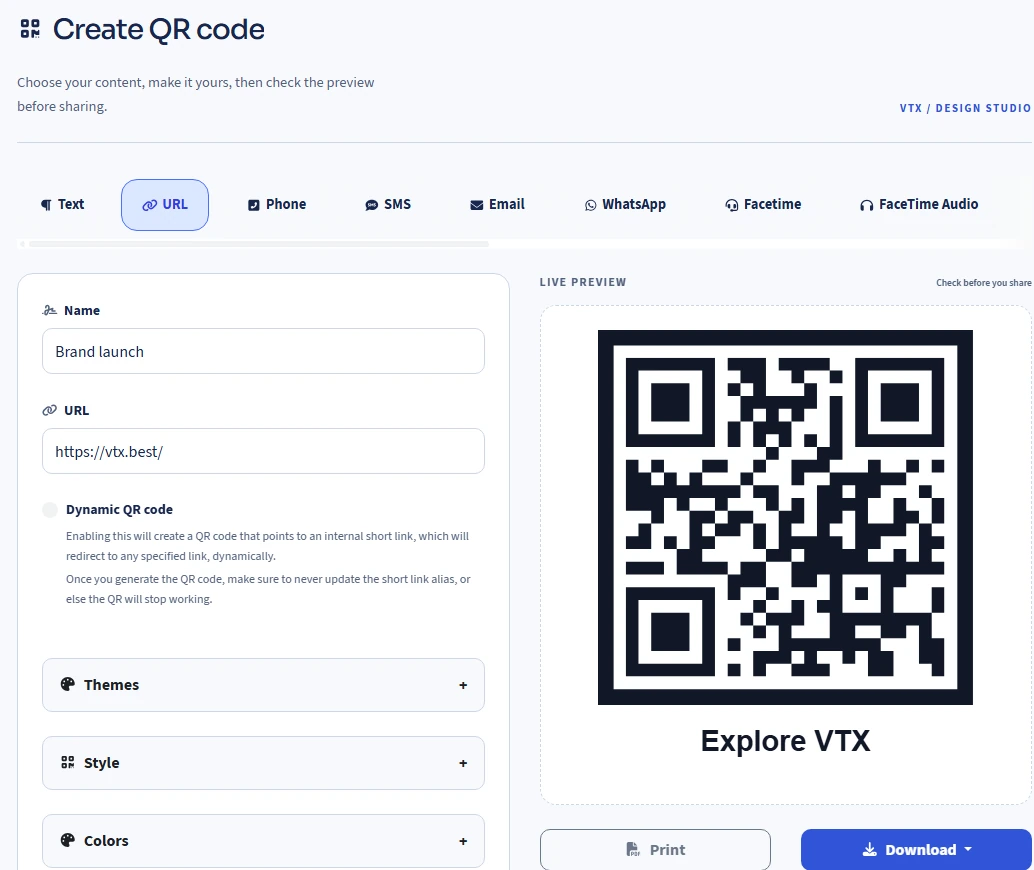
Before you print
Yes, for a dynamic URL QR code: edit the Destination URL of the connected short link and save. Do not rename its short URL alias, change its domain or delete the link. Those changes can break an already printed code.
A dynamic QR depends on its connected link, domain, destination and the availability of the service. Keep the link enabled and review any scheduling, expiration or protection settings. We do not promise permanent availability.
No. The dynamic option described here is for URL QR codes. Other types, such as text or Wi-Fi, encode their content directly.
Your account plan shows available features and limits. Some design, bulk and link options depend on your plan.
Make your next connection
Start with a destination you can test, then make the design yours.