




VTX

QR codes. Short links. Bio pages.

Good things
deserve a
great link.

Turn a scan, a click, or your bio into the next step. Create it, make it yours, and manage it all with VTX.

One workspace. From the first idea to the next click.

Made to be shared.
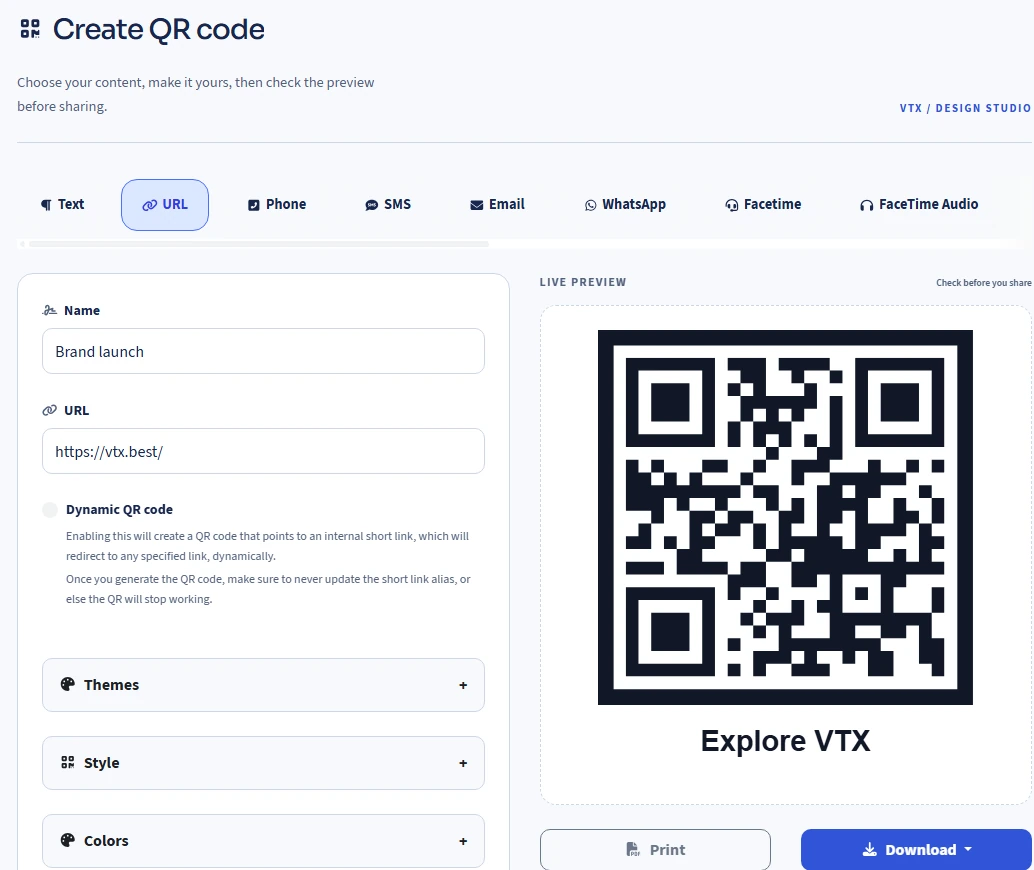
vtx.best / QR studio
The VTX QR editor with a URL, design settings and a live QR preview
A shorter way therevtx.best / your-idea
Scan to visit vtx.bestOPEN SOMETHING GOODScan. Meet VTX.

Less friction. More connection.

From wherever they find you.
To whatever comes next.

A product label. Your next campaign. The link in your profile.
Give every touchpoint a clear place to go.

Make your next connection
Woman using a smartphone
For creatorsFor businessesFor campaignsFor everyday ideas

01 / QR codes

Your design.
Their next move.

Make the small square work harder. Pick a style, add your colors and logo, and check the live preview as you go.

  • QR types for URLs, Wi-Fi, contact cards and more
  • Dynamic links you can update after printing
  • Design themes, frames and download options
GOOD
THINGS
AHEAD.
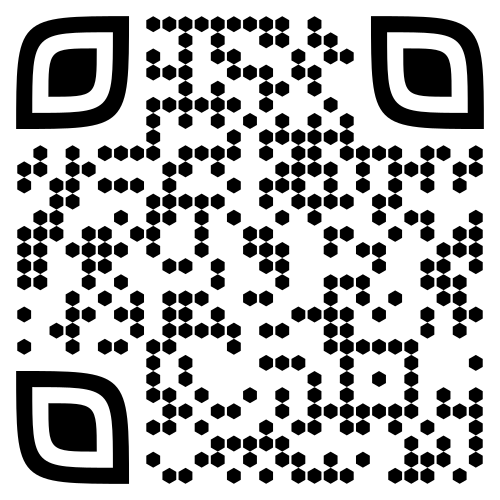
Example printed QR code that opens VTX
Start here.
Make it yours
Color · Shape · Logo · Frame
Design example · QR opens vtx.best

03 / Bio pages

More than a link.
A little world of you.

Your work, your channels, your next big thing. Bring them together on a page that feels like your brand.

  • Ready-to-use themes and flexible content blocks
  • Links, images, video and social profiles
  • A page made for the screen in their hand
9:41
Studio North

Small studio. Big ideas.
Design, objects & everyday inspiration.

The latest collection ↗
Meet the studio ↗
Get in touch ↗
Instagram · Portfolio · EmailMade with VTX
Illustrative bio page design
A woman using her phone at a café counter beside a display card
Illustrative café scene. Try the working example alongside.

Try it for yourself

One small scan.
A useful next step.

See how a QR code can take someone from a café table to a menu. Open this example and explore the destination before creating your own.

QR code linking to the café menu demo

Scan. Open. Explore.

Point your phone camera at the QR code.
Already on your phone?

Open the demo menu

A fictional café, a working demo. No account needed to view it.

04 / Everyday tools

The little things.
Already taken care of.

Useful generators, converters and checkers.
Browse the collection here; sign in to use a tool.

Illustrative workbench with a laptop, notebook and phone for everyday creative tasks.
An illustrative workspace for everyday ideas.

Start here. Grow from here.

A place for your
next good idea.

Choose what you want to share.
Your Free workspace is ready when you are.

Available now

Free

Make your first connection with QR codes, short links and bio pages in one workspace.

Create a free account

Your account shows your current features and usage.

QR codes
25
Short links
25
Bio pages
15
Custom domains
1
Statistics history
30 days
Planning for something bigger?Preview upcoming packages

Creator, Pro and Business are in preparation. Paid packages are not available to purchase yet.

Coming soon

Creator

For personal projects, content and your next launch.

Coming soon

Pro

For growing brands with more campaigns to manage.

Coming soon

Business

For established businesses and larger projects.

Features, limits and pricing will be confirmed before launch.

A simple way to get there

From idea to “here you go.”

01

Choose your starting point

A QR code, a short link or a bio page. Pick what fits the moment.

02

Make it unmistakably yours

Set the destination, add your style and preview the result.

03

Put it out into the world

Download, print or share your link. Come back to manage it from one place.

A few useful answers

Before you
hit share.

Can I change a destination after printing a QR code?

Yes, when you create a dynamic URL QR code. Edit its linked destination while keeping the original short-link alias. A static QR code stores its content directly and cannot be changed after printing. Follow the dynamic QR guide →

Can I try an example before creating an account?

Yes. Our café menu demo is public, so you can open it from a QR scan or a normal link. It is a fictional example to show the experience; it does not create an account or place an order.

Can I use my own brand?

You can customize QR designs and bio pages. Custom aliases, domains and additional branding options depend on your account plan. Check the plan details for the features included.

Do I need to install anything?

No. VTX runs in your browser. Create and manage your QR codes, links and pages from your workspace.

Are the paid packages available yet?

Not yet. The Free plan is available now. Creator, Pro and Business are upcoming packages; their features, limits and pricing will be announced before launch.

Where can I see what is included in my account?

Your account's plan page lists the features and usage limits available to you. View your account plan →

A little guidance goes a long way

Your first one,
step by step.

See all guides
  1. Create a dynamic QR code

    Connect a QR to a destination you can update later.

  2. Create a short link for a campaign

    Give your destination a clear alias and prepare it to share.

  3. Build your first bio page

    Bring your most useful links together on one page.

Your next connection starts here

Make it.
Link it. Share it.

Illustrative scene of two people sharing a creative idea on a phone in a bright studio.
Illustrative scene. Your next connection can start with a link.